Showing posts with label Office Apps. Show all posts
Showing posts with label Office Apps. Show all posts
RepliGo Reader v3.4.3 Apk
RepliGo Reader v3.4.3 Apk | 1.3 MB | Mediafire | FS | MS
Requires Android:2.0 and up
View, annotate and fill out forms in Adobe® PDF format while on the go! RepliGo Reader enables PDF viewing, annotating and form filling. Review documents on the go by adding highlights, cross outs, underlines, sticky notes, arrows, lines, ovals, rectangles, freehand drawings and text boxes.
V3.4.3 update:
- Fixed issue with inverted JBIG image
- Fixed issue with European accented characters in text boxes
- Fixed issue with printing drop-down field data
- Other miscellaneous improvements
Comments are stored as standard annotations in the original PDF file, just like Adobe® Acrobat®.
RepliGo Reader integrates seamlessly with Gmail, Dropbox, Evernote and numerous other applications. It also makes a great eBook reader, with features like night mode and an intelligent reading view.
Detailed Features:
* PDF viewing, annotating and form filling of files from your email, memory card, Dropbox, Evernote and the Internet
* Add highlights, cross outs, underlines, sticky notes, arrows, lines, ovals, rectangles, freehand drawings and text boxes
* Adjust colors, border thickness and the note for any annotation
* Read documents easily with reflowed text and night mode
* Scroll quickly through pages by swiping or tapping on the edge of the screen
* Navigate long documents using bookmarks, comments, document links, go to page, search and thumbnails
* Click on email, map, phone and web hyperlinks to launch system applications
* Zoom in and out quickly by pinching or double-tapping on columns, images or tables
* Select text and copy it to the clipboard
* Rotate documents into one of four orientations
* Open password protected files
* Send PDF files via email, Bluetooth, Dropbox and Evernote
* Keyboard and trackball support
Download Or Download Or Download Or Download
Download - Market
Labels: Android 2.0 and up, Android Apps, Office Apps
ezPDF Reader Pro v1.7.3.0 Apk
ezPDF Reader Pro v1.7.3.0 Apk | 4.1 MB | Mediafire | HF | FS
Requires Android:2.1 and up
Audio & Video Multimedia PDF Reader. Annotate, Listen, and Fill out PDF Form ezPDF Reader is the Best Selling and the Best Rated (4.63 out of 5.00) Multimedia PDF viewer, annotator, and PDF form filler in Android.
v1.7.3.0 update:
- New Function, [Snapshot].
- New Setting, [Text Size of Context Menu].
- New Setting, [BG Color of Context Menu].
- Some optimization for high dpi devices.
- Some context menu items have been grouped.
- Bugfix.
Please leave your comments and review. For the bug reports and suggestions, please send us your email to android at unidocs.com
Brief Guide: http://goo.gl/wP9UC
App Review
"Plenty of PDF readers are available for Android devices, and a number of them are free. But ezPDF is by far the best of the bunch." Daniel A. Begun, author of Amazing Android Apps For Dummies
Customized Viewing
Clearly presented without the fluff, documents appear as they would on your PC, but customized to fit your mobile device's screen. Scanned and text based PDFs are all supported, including JPEG2000 and JBIG2 compression. Select Text Reflow, Fit to Text Column, Copy and paste text in PDF view and bookmark as you go or Change Reading Direction to ease reading
PDF Form Filler
Good for application forms, school tests, and contracts. Fill out your Tax Form with ezPDF Reader.
Fill out the contract form, sign at the bottom, and send via email from the file manager (My docs).
Multimedia PDF Viewer - Audio, Video, and TTS (using built-in Text-to-Speech feature)
Get convenient, hassle-free PDFs directly to your Android device with ezPDF Reader. It also plays multimedia files embedded into PDF. Perfect solution for PDF based audio/video-enabled Ebooks, such as children's books and instructional books. (Multimedia file format must be compatible to your Android device, However, no support for Flash) Use Voice Reading feature to have documents read to you with the continuous automatic page-turning feature. (It uses TTS feature of the hardware settings)
Annotation Features on PDF - No need to print for marking
Useful tool to add text in text box and sticky notes; highlight, underline, or cross out texts; draw rectangles, ovals and freehand drawings. Add memo, change color / thickness, resize and move them around as you like. All these comments are compatible with Adobe® Acrobat®. (PC or Mac version)
Please download "ezPDF Reader Cloud Plugin" App for uploading and downloading files between Google Docs & ezPDF Readeer.
More Features
- Read text based PDF file (using built-in Text-to-Speech function (TTS)), Compatible with SVOX
- Play Embedded Video & Audio (Android device supported format)
- Text View with reflow function. Option for Night / Day Mode, Able to change font size and color (text and background)
- Thumbnail image view
- Support for landscape view
- Search (Options for case sensitive, whole word or part, exact word, and/or operator) and highlighted result
- Auto Fit Zoom for multi-column article or removing white margin
- Scroll lock / unlock
- Able to select text in PDF, save to clipboard, web search, share with other apps
- Support hyperlinks (Go to page within the PDF, URL links to webpage)
- Open Standard Password-protected PDF (Important! If the file is protected with the DRM applied to PDF file, this would not open the file.)
- Intuitive bookmarking & viewing bookmarks with its description and ribbon & thumbnail image
- Auto Page Turn (in secs) or Auto Scroll (up a screen full)
- Table of Contents
- Zoom in & out (Pinch or double tap)
- Page navigation with thumbnail scroll images
- Jump to a specific page by its Page Number
- Able to change reading direction - Good for Arabic, Chinese, Japanese & Hebrew documents
- Undo & Redo button
- Support Trackball
- Page Turning Effect (Flip)
- FREE PDF Conversion Program for PC (link to download)
- 4-point-tap toggles Notification Bar On or Off
- 3-point-tap toggles PDF view or Text Reflow view
- 2-point-tap reduces the page to fit the width when enlarged
- 1-point-tap toggles Menu On or Off
ezPDF Reader is updated regularly in order to add new features or to improve upon existing ones.
twitter.com/ezpdf
facebook.com/ezpdf
Download Or Download Or Download
Download - Market
Labels: Android 2.1 and up, Android Apps, Office Apps
Document Scanner Full v2.8.1 Apk
Document Scanner Full v2.8.1 Apk | 5.3 MB | Mediafire | FileSonic
Requires Android:1.5 and up
Scan docs with your phone camera,convert to PDF. Email/upload to GDocs/Dropbox/Evernote to share/store.
v2.8.1 update:
- Significantly improved black/white conversion
Scan documents and receipts with your phone camera, convert them to PDF. It is a portable scanner for your Droid.
*email PDF or upload it to DROPBOX(Donut+), Google Docs, EVERNOTE (Eclair+), BOX.net (Froyo+)
*OCR Option through GDocs/Evernote
*create folders
*no page limit
*scan and add pages later to an existing folder
*insert existing gallery image
*compression and page size options
*reorder pages
*quick one-page option to take a picture and upload as PDF with a single click
*Correct perspective and crop your captured image. The app detects the four corners automatically and gives you an opportunity to modify it
*Enhance image and convert to gray scale (or black/white) as desired
Download Or Download
Download - Market
Labels: Android 1.5 and up, Android Apps, Office Apps
RepliGo Reader v3.4.2 Apk
RepliGo Reader v3.4.2 Apk | 1.3 MB | Mediafire | Multiupload
Requires Android:2.0 and up
View, annotate and fill out forms in Adobe® PDF format while on the go! RepliGo Reader enables PDF viewing, annotating and form filling. Review documents on the go by adding highlights, cross outs, underlines, sticky notes, arrows, lines, ovals, rectangles, freehand drawings and text boxes.
V3.4.2 update:
- Added support for using Asian characters in text boxes
- Improved reading view for multi-column pages
- Fixed issue saving text boxes
- Fixed various rendering issues
- Miscellaneous bug fixes and improvements
Comments are stored as standard annotations in the original PDF file, just like Adobe® Acrobat®.
RepliGo Reader integrates seamlessly with Gmail, Dropbox, Evernote and numerous other applications. It also makes a great eBook reader, with features like night mode and an intelligent reading view.
Detailed Features:
* PDF viewing, annotating and form filling of files from your email, memory card, Dropbox, Evernote and the Internet
* Add highlights, cross outs, underlines, sticky notes, arrows, lines, ovals, rectangles, freehand drawings and text boxes
* Adjust colors, border thickness and the note for any annotation
* Read documents easily with reflowed text and night mode
* Scroll quickly through pages by swiping or tapping on the edge of the screen
* Navigate long documents using bookmarks, comments, document links, go to page, search and thumbnails
* Click on email, map, phone and web hyperlinks to launch system applications
* Zoom in and out quickly by pinching or double-tapping on columns, images or tables
* Select text and copy it to the clipboard
* Rotate documents into one of four orientations
* Open password protected files
* Send PDF files via email, Bluetooth, Dropbox and Evernote
* Keyboard and trackball support
Download Or Download
Download - Market
Labels: Android 2.0 and up, Android Apps, Office Apps
Power Office Suite + Dropbox v2.3 Apk
Power Office Suite + Dropbox v2.3 Apk | 536 KB | Mediafire / Multiupload
Requires Android:2.2 and up
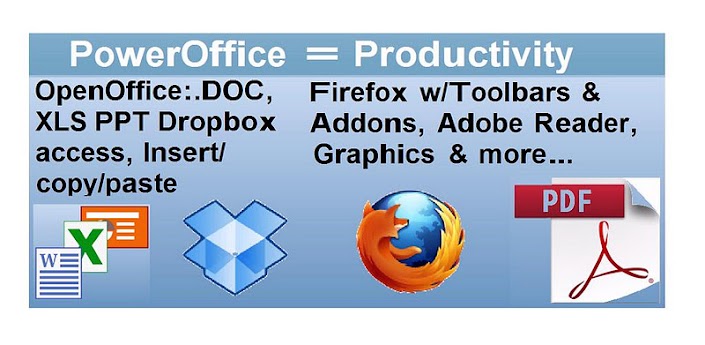
PowerOffice is the ultimate business and creativity office suite for Android devices. This app gives you access to OpenOffice, Dropbox, Adobe Reader with PDF Forms editing, Gimp photo and image editor, InkScape graphics and drawing, all on a hosted "Virtual PC":
Open Office suite
Open, edit and save MS Word (DOC) Excel Spreadsheet (XLS) and Powerpoint presentations (PPT), as well as creaet PDF and many other formats. Unlike other mobile office suites that provide limited features, with PowerOffice you get all the features you expect in this PC-class product, including:
- all formatting options like wide font selection, line spacing, text wrap, indent, paragraph and page settings.
- spell check
- insert and re-size images graphics and charts (copy/paste from Excel, draw, or insert from a web download)
- and overall great compatibility with Microsoft Office file formats.
"...Its like Google Docs, only way faster, more powerful, with better compatibility and usability! "
Dropbox
Login once to the native Dropbox app on the desktop and your folder opens and sync's (up to 2Gb). Ultra-fast Cloud-cloud connection you can open edit and save even huge files in seconds.
Also, you can use the included Firefox browser to access other online providers like Sugarsync, Carbonite, Box.net, and tons more!
Gimp Pro-quality image/photo editing
Gimp is a powerful program with Photoshop-like features for photo retouching, image composition and image authoring. It has and tons of cool filters like sepia, oilpaint, gaussian blur, as well as import or conversion among many formats like bmp, gif, jpeg, mng, pcx, pdf, png, ps, psd, svg, tiff, tga, xpm
InkScape Vector Drawing program
Similar to Adobe Illustrator, you can author rich graphics and drawings, from web and newsletter layouts to drawings, maps, logos. InkScape can import .AI Adobe Illustrator file formats, can export to bitmap, and save-as to over 5 file formats including .SVG, .PS, and PDF.
Productivity like a computer:
- Cut/Copy and Paste easily between any program, just like on a PC!
- Upload documents or photos from your device and use the powerful editing tools.
- Ultra-fast file open and save from Dropbox, or up/download from the web since PowerOffice works "in the cloud". 20+MB files open in seconds - see the video on Youtube!)
- Customizable desktop - background, icon arrangement, etc.
Adobe Reader
The complete desktop version of Adobe reader including support for forms, annotation and note making tools
Firefox Browser
Your PowerOffice virtual system also includes a full desktop version of the Firefox Browser, so you can access most any website so you can open or send email attachments, up/download your work to websites or online storage. You can also install your favorite browser toolbars and Add-ons like Evernote Web Clipping!
Cloud storage
2Gb included storage in your virtual PC is also accessible from any Internet-connected computer (PC or Mac) so you can up/download files directly.
PowerOffice is built on the AlwaysOnPC Virtual PC platform from Xform Computing.
Use of the system requires a one-time registration before first use.
This app includes free access to your PowerOffice virtual system from any PC or Mac computer, including the ability to directly up/download files to your virtual desktop. (Some limitations may apply to PC access)
Requires 3/4G or WiFi network at all times for app to function.
Download Or Download
Download - Market
Labels: Android 2.2 and up, Android Apps, Office Apps
Kingsoft Office (English) v4.2 Apk

Kingsoft Office (English) v4.2 Apk | 4.1 MB | Mediafire / Multiupload
Requires Android:2.1 and up
FREE to view DOC, DOCX, XLS, XLSX, PPT, PPTX files, create DOC, DOCX, XLS, XLSX. Kingsoft Office is known as the most user-friendly mobile Office: whether in a small cell phone screen or on a large screen on the Tablet, Kingsoft Office has a superior performance!
v4.2 update:
- Improved: In Presentation, 8 times faster than version 4.0 when opening documents.
- Improved: In Writer,10 times faster than version 4.0 when opening documents.
- New: added the ability to save document as .DOCX format.
- New: In Writer, when open the document you read before, you can locate to the position last read.
- New: In Writer, added the word count feature (full text counting).
- New: In Writer, sharing text, Screenshots or attachment is allowed now.
And it is also the only mobile Office with full-features FREE: all features listed below are free to use!
Core Features:
- View & Edit DOC, DOCX, TXT files;
- View & Edit XLS, XLSX files;
- View & Edit PPT, PPTX files;
- User-friendly & nice UI;
- Built-in file manager that can automatically organize your office document;
- Tight integration with the mail application: you can open the attachment, and can directly send after modification;
- Support the cloud storage services with WebDAV protocol;
- And we will continuously update the App, adding new features!
Reviews written by users:
- Nice Office App. Very useful, nice UI, like it better than the others I've tried.
- Great app does what it says.
Special features and recent new features:
* Writer:
- Support copy and paste between Apps
- Can view and edit documents in Page-Layout or Web-Layout
- With Reader mode, you can easily switch to reader mode after open the document
- Full screen reading mode
- Select the text with a magnifying glass to aid positioning
- Display a variety of graphic objects
- Open the encrypted documents
- Save encrypted DOC files
- Display DOC documents headers and footers, comments and revisions.
- Display tables wrap effects in the DOC files.
- With the paragraph Indents and Spacing function, you can easily adjust the paragraph indents and spacing.
* Spreadsheets:
- Auto-Filter
- Search function
- Sort function
- Full screen reading mode
- Freeze panes
- Quickly display the calculated results of the selected area (sum, average, etc.)
- Display charts, view chart details
- Select cells by trackball and keyboard arrow keys
- Open the encrypted documents.
- Display the AutoShapes in XLS files
- Display the radar charts, separation pie charts, composite pie charts, ring charts, etc. in the XLS files
* Presentation:
- With thumbnails list like PC Office, for convenient slide switch
- Support Play mode
- Support laser pointer when playing
- Display tables
- Display charts
* Overall features:
- Support external Bluetooth keyboard and USB keyboard input
- Support external keyboard shortcuts (Ctrl-C, Ctrl-V, Ctrl-S, etc. And we are adding more)
- Display history files as photos wall
Download
Labels: Android 2.1 and up, Android Apps, Office Apps
ezPDF Reader Pro v1.7.2.0 Apk
ezPDF Reader Pro v1.7.2.0 Apk | 4.1 MB | Multiupload / Howfile
Requires Android:2.1 and up
Audio & Video Multimedia PDF Reader. Annotate, Listen, and Fill out PDF Form ezPDF Reader is the Best Selling and the Best Rated (4.63 out of 5.00) Multimedia PDF viewer, annotator, and PDF form filler in Android.
v1.7.2.0 update:
- New Function, [Crop Page].
- Link for external PDF file is supported in [Outlines] Dialog.
- Headset button support for Multimedia and Voice Reading. KEYCODE_MEDIA_PLAY_PAUSE, PLAY, PAUSE, STOP.
- [Settings] Menu is available in document manager with Menu Key.
- Camera bug with creating image annotation is fixed.
- Several Bugfix.
Please leave your comments and review. For the bug reports and suggestions, please send us your email to android at unidocs.com
Brief Guide: http://goo.gl/wP9UC
App Review
"Plenty of PDF readers are available for Android devices, and a number of them are free. But ezPDF is by far the best of the bunch." Daniel A. Begun, author of Amazing Android Apps For Dummies
Customized Viewing
Clearly presented without the fluff, documents appear as they would on your PC, but customized to fit your mobile device's screen. Scanned and text based PDFs are all supported, including JPEG2000 and JBIG2 compression. Select Text Reflow, Fit to Text Column, Copy and paste text in PDF view and bookmark as you go or Change Reading Direction to ease reading
PDF Form Filler
Good for application forms, school tests, and contracts. Fill out your Tax Form with ezPDF Reader.
Fill out the contract form, sign at the bottom, and send via email from the file manager (My docs).
Multimedia PDF Viewer - Audio, Video, and TTS (using built-in Text-to-Speech feature)
Get convenient, hassle-free PDFs directly to your Android device with ezPDF Reader. It also plays multimedia files embedded into PDF. Perfect solution for PDF based audio/video-enabled Ebooks, such as children's books and instructional books. (Multimedia file format must be compatible to your Android device, However, no support for Flash) Use Voice Reading feature to have documents read to you with the continuous automatic page-turning feature. (It uses TTS feature of the hardware settings)
Annotation Features on PDF - No need to print for marking
Useful tool to add text in text box and sticky notes; highlight, underline, or cross out texts; draw rectangles, ovals and freehand drawings. Add memo, change color / thickness, resize and move them around as you like. All these comments are compatible with Adobe® Acrobat®. (PC or Mac version)
Please download "ezPDF Reader Cloud Plugin" App for uploading and downloading files between Google Docs & ezPDF Readeer.
More Features
- Read text based PDF file (using built-in Text-to-Speech function (TTS)), Compatible with SVOX
- Play Embedded Video & Audio (Android device supported format)
- Text View with reflow function. Option for Night / Day Mode, Able to change font size and color (text and background)
- Thumbnail image view
- Support for landscape view
- Search (Options for case sensitive, whole word or part, exact word, and/or operator) and highlighted result
- Auto Fit Zoom for multi-column article or removing white margin
- Scroll lock / unlock
- Able to select text in PDF, save to clipboard, web search, share with other apps
- Support hyperlinks (Go to page within the PDF, URL links to webpage)
- Open Standard Password-protected PDF (Important! If the file is protected with the DRM applied to PDF file, this would not open the file.)
- Intuitive bookmarking & viewing bookmarks with its description and ribbon & thumbnail image
- Auto Page Turn (in secs) or Auto Scroll (up a screen full)
- Table of Contents
- Zoom in & out (Pinch or double tap)
- Page navigation with thumbnail scroll images
- Jump to a specific page by its Page Number
- Able to change reading direction - Good for Arabic, Chinese, Japanese & Hebrew documents
- Undo & Redo button
- Support Trackball
- Page Turning Effect (Flip)
- FREE PDF Conversion Program for PC (link to download)
- 4-point-tap toggles Notification Bar On or Off
- 3-point-tap toggles PDF view or Text Reflow view
- 2-point-tap reduces the page to fit the width when enlarged
- 1-point-tap toggles Menu On or Off
ezPDF Reader is updated regularly in order to add new features or to improve upon existing ones.
twitter.com/ezpdf
facebook.com/ezpdf
Download Or Download
Download - Market
Labels: Android 2.1 and up, Android Apps, Office Apps
CamScanner -Phone PDF Creator full v1.3.2.20111227 Apk
CamScanner -Phone PDF Creator full v1.3.2.20111227 Apk | 5.6 MB | Mediafire / MirrorCreator
Requires Android:2.0 and up
AndroidApps.Tk
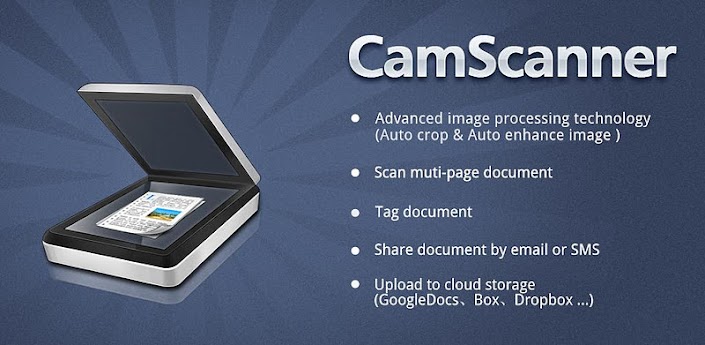
CamScanner turns your phone into a scanner. With CamScanner, you are able to digitize any paper documents by photo shooting. Simply take a picture of any paper documents and CamScanner can auto-crop image, enhance image quality and create an industry standard PDF file. And you can easily upload documents to cloud like Dropbox, Google Doc, Box.net.
With CamScanner You Can Scan
* Receipt, Bill, Tax Roll
* Business Card, Membership Card, VIP card
* Agreement, PPT and Whiteboard
* Note, Memo, Script, Letter
* Books, Magazines, Newspaper, Poster, Coupon
* Courier Sheet, Resumes,
Version Difference
CamScanner Free: With advertisements, PDF files created with watermark, limitation of 50 documents, 10 pages per document, and up to 3 scans every time in batch mode.
CamScannerFull:No advertisements, PDF files created is clean without any watermark, no limitation on number of documents, pages, or scans in batch mode
Download
Download - Market
Labels: Android 2.0 and up, Android Apps, Office Apps, Tools
ezPDF Reader Pro v1.7.1.1 Apk
ezPDF Reader Pro v1.7.1.1 Apk | 4.1 MB | Mediafire / MirrorCreater
Requires Android:2.1 and up
Audio & Video Multimedia PDF Reader. Annotate, Listen, and Fill out PDF Form ezPDF Reader is the Best Selling and the Best Rated (4.63 out of 5.00) Multimedia PDF viewer, annotator, and PDF form filler in Android.
v1.7.1.1 update:
- Rendering Bugfix in specific PDF documents.
Please leave your comments and review. For the bug reports and suggestions, please send us your email to android at unidocs.com
Brief Guide: http://goo.gl/wP9UC
App Review
"Plenty of PDF readers are available for Android devices, and a number of them are free. But ezPDF is by far the best of the bunch." Daniel A. Begun, author of Amazing Android Apps For Dummies
Customized Viewing
Clearly presented without the fluff, documents appear as they would on your PC, but customized to fit your mobile device's screen. Scanned and text based PDFs are all supported, including JPEG2000 and JBIG2 compression. Select Text Reflow, Fit to Text Column, Copy and paste text in PDF view and bookmark as you go or Change Reading Direction to ease reading
PDF Form Filler
Good for application forms, school tests, and contracts. Fill out your Tax Form with ezPDF Reader.
Fill out the contract form, sign at the bottom, and send via email from the file manager (My docs).
Multimedia PDF Viewer - Audio, Video, and TTS (using built-in Text-to-Speech feature)
Get convenient, hassle-free PDFs directly to your Android device with ezPDF Reader. It also plays multimedia files embedded into PDF. Perfect solution for PDF based audio/video-enabled Ebooks, such as children's books and instructional books. (Multimedia file format must be compatible to your Android device, However, no support for Flash) Use Voice Reading feature to have documents read to you with the continuous automatic page-turning feature. (It uses TTS feature of the hardware settings)
Annotation Features on PDF - No need to print for marking
Useful tool to add text in text box and sticky notes; highlight, underline, or cross out texts; draw rectangles, ovals and freehand drawings. Add memo, change color / thickness, resize and move them around as you like. All these comments are compatible with Adobe® Acrobat®. (PC or Mac version)
Please download "ezPDF Reader Cloud Plugin" App for uploading and downloading files between Google Docs & ezPDF Readeer.
More Features
- Read text based PDF file (using built-in Text-to-Speech function (TTS)), Compatible with SVOX
- Play Embedded Video & Audio (Android device supported format)
- Text View with reflow function. Option for Night / Day Mode, Able to change font size and color (text and background)
- Thumbnail image view
- Support for landscape view
- Search (Options for case sensitive, whole word or part, exact word, and/or operator) and highlighted result
- Auto Fit Zoom for multi-column article or removing white margin
- Scroll lock / unlock
- Able to select text in PDF, save to clipboard, web search, share with other apps
- Support hyperlinks (Go to page within the PDF, URL links to webpage)
- Open Standard Password-protected PDF (Important! If the file is protected with the DRM applied to PDF file, this would not open the file.)
- Intuitive bookmarking & viewing bookmarks with its description and ribbon & thumbnail image
- Auto Page Turn (in secs) or Auto Scroll (up a screen full)
- Table of Contents
- Zoom in & out (Pinch or double tap)
- Page navigation with thumbnail scroll images
- Jump to a specific page by its Page Number
- Able to change reading direction - Good for Arabic, Chinese, Japanese & Hebrew documents
- Undo & Redo button
- Support Trackball
- Page Turning Effect (Flip)
- FREE PDF Conversion Program for PC (link to download)
- 4-point-tap toggles Notification Bar On or Off
- 3-point-tap toggles PDF view or Text Reflow view
- 2-point-tap reduces the page to fit the width when enlarged
- 1-point-tap toggles Menu On or Off
ezPDF Reader is updated regularly in order to add new features or to improve upon existing ones.
twitter.com/ezpdf
facebook.com/ezpdf
Download
Download - Market
Labels: Android 2.1 and up, Android Apps, Office Apps
Quickoffice Pro 5.0.164 Full Apk
Quickoffice Pro 5.0.164 Full Apk | 6.1 MB | Mediafire / MirrorCreator
Requires Android:2.0 and up
AndroidApps.Tk
Quickoffce Pro lets you get work done on the road by allowing easy access to Microsft Word, Excel, and PowerPoint wherever you take your mobile. This app also provides you with a convenient PDF viewer so you can keep your important documents with you at all times.
v5.0.164 update:
- Performance enhancements
- Bug fixes
View document footnotes and endnotes in Word. Use the text-to-speech voice input and text recital option for an alternative way to word-process your documents. Get the most out of your Android device with this award-winning productivity suite.
Cloud Compatibility
Conveniently access, share, and manage files remotely from your Google Docs, Dropbox, Box, Huddle, SugarSync, and MobileMe accounts. You’ll get the same access and permissions to your files from your SD card with the enhanced Connected File Manager. You can even save space on your device by installing this app to your SD card.
Complete File Management
Clean up your files and sort folders by name, type, size, and date. You can easily rename, copy, or delete files as well. Quickoffce Pro lets you create, open, and edit your PowerPoint files (.ppt and .pptx). Insert shapes and render vertical text in your presentations. Gain clipboard access so you can cut, copy, and paste between apps. Looking for a bit of photo editing within this app? Insert and resize text boxes, shapes, and images from your gallery or camera.
Excel Support
Are you an Excel expert? Don’t limit yourself to just basic input options. Quickoffce Pro supports advanced formulas and charts so you can get creative with your spreadsheets. Apply formulas to multiple cells by tapping and dragging. Add, delete, and rename worksheets in Excel files.
A Productive Point of View
The thumbnail preview lets you scroll easily so you can skim documents with multiple pages and get to the content you’re looking for. Edit documents in Page Layout mode.
Access all of your Word documents, Excel spreadsheets, PowerPoint presentations, and PDF files
Create your PowerPoint presentation on the go
Manage your Excel sheets complete with complex formulas
Your Mobile Productivity Solution
Top 10 Must-Have Android Apps–NY Times
Top 10 Finalist–Mobile Apps Showdown–CES 2011
“If you are a person who gets sent documents on the go and has a need to edit them on the go then you should look at Quickoffce.”–ZDNet
“If you’re hoping to do some hardcore word processing on your Android phone, Quickoffce has your back.”–IntoMobile.com
“Convenience at its finest.”–Phandroid.com
Key Micrsoft Offce Features
Create, view, and edit Micrsoft Word documents (.doc and .docx)
Create, view, and edit Excel spreadsheets (.xls and .xlsx)
Create, view, and edit PowerPoint presentations (.ppt and .pptx)
Key Connected File Manager Features
Seamlessly access Google Docs, Dropbox, Box, Huddle, SugarSync, and MobileMe
Browse zip files and copy files from zip folders to other directories
View Offce and non-Offce files within the file manager
Create, copy, move, delete and rename files and folders
Share files via e-mail, SMS, Bluetooth, and cloud services
Access and manage files on your SD Card
Product Features
Take your work with you with this mobile Micrsoft Offie application
Create, view, and edit Word, Excel, and PowerPoint files on the go
Seamlessly access Google Docs, Dropbox, Box, Huddle, SugarSync, and MobileMe
Open and view PDF documents, including password protected and encrypted files
Take pictures with your Android’s camera and paste them neatly into documents
(select "Register Later" and check the "Please do not ask again" )
Download
Download - Market
Labels: Android 2.0 and up, Android Apps, Office Apps
ezPDF Reader 1.7.0.0 Apk
ezPDF Reader 1.7.0.0 Apk | 4.1 MB | Mediafire / MirrorCreater
Requires Android:2.1 and up
Audio & Video Multimedia PDF Reader. Annotate, Listen, and Fill out PDF Form ezPDF Reader is the Best Selling and the Best Rated (4.63 out of 5.00) Multimedia PDF viewer, annotator, and PDF form filler in Android. (Supports OS 2.1 and up)
v1.7.0.0 update:
- New bookshelf style display for Recently Opened Documents Tab
- Able to send email from PDF, [More(...) - Send To - Choose your Email client]
- Able to send to other apps from PDF
- Improved performance
- Bug fixed
Please leave your comments and review. For the bug reports and suggestions, please send us your email to android at unidocs.com
Brief Guide: http://goo.gl/wP9UC
App Review
"Plenty of PDF readers are available for Android devices, and a number of them are free. But ezPDF is by far the best of the bunch." Daniel A. Begun, author of Amazing Android Apps For Dummies
Customized Viewing
Clearly presented without the fluff, documents appear as they would on your PC, but customized to fit your mobile device's screen. Scanned and text based PDFs are all supported, including JPEG2000 and JBIG2 compression. Select Text Reflow, Fit to Text Column, Copy and paste text in PDF view and bookmark as you go or Change Reading Direction to ease reading
PDF Form Filler
Good for application forms, school tests, and contracts. Fill out your Tax Form with ezPDF Reader.
Fill out the contract form, sign at the bottom, and send via email from the file manager (My docs).
Multimedia PDF Viewer - Audio, Video, and TTS (using built-in Text-to-Speech feature)
Get convenient, hassle-free PDFs directly to your Android device with ezPDF Reader. It also plays multimedia files embedded into PDF. Perfect solution for PDF based audio/video-enabled Ebooks, such as children's books and instructional books. (Multimedia file format must be compatible to your Android device, However, no support for Flash) Use Voice Reading feature to have documents read to you with the continuous automatic page-turning feature. (It uses TTS feature of the hardware settings)
Annotation Features on PDF - No need to print for marking
Useful tool to add text in text box and sticky notes; highlight, underline, or cross out texts; draw rectangles, ovals and freehand drawings. Add memo, change color / thickness, resize and move them around as you like. All these comments are compatible with Adobe® Acrobat®. (PC or Mac version)
Please download "ezPDF Reader Cloud Plugin" App for uploading and downloading files between Google Docs & ezPDF Readeer.
More Features
- Read text based PDF file (using built-in Text-to-Speech function (TTS)), Compatible with SVOX
- Play Embedded Video & Audio (Android device supported format)
- Text View with reflow function. Option for Night / Day Mode, Able to change font size and color (text and background)
- Thumbnail image view
- Support for landscape view
- Search (Options for case sensitive, whole word or part, exact word, and/or operator) and highlighted result
- Auto Fit Zoom for multi-column article or removing white margin
- Scroll lock / unlock
- Able to select text in PDF, save to clipboard, web search, share with other apps
- Support hyperlinks (Go to page within the PDF, URL links to webpage)
- Open Standard Password-protected PDF (Important! If the file is protected with the DRM applied to PDF file, this would not open the file.)
- Intuitive bookmarking & viewing bookmarks with its description and ribbon & thumbnail image
- Auto Page Turn (in secs) or Auto Scroll (up a screen full)
- Table of Contents
- Zoom in & out (Pinch or double tap)
- Page navigation with thumbnail scroll images
- Jump to a specific page by its Page Number
- Able to change reading direction - Good for Arabic, Chinese, Japanese & Hebrew documents
- Undo & Redo button
- Support Trackball
- Page Turning Effect (Flip)
- FREE PDF Conversion Program for PC (link to download)
- 4-point-tap toggles Notification Bar On or Off
- 3-point-tap toggles PDF view or Text Reflow view
- 2-point-tap reduces the page to fit the width when enlarged
- 1-point-tap toggles Menu On or Off
ezPDF Reader is updated regularly in order to add new features or to improve upon existing ones.
twitter.com/ezpdf
facebook.com/ezpdf
Download
Download - Market
Labels: Android 2.1 and up, Android Apps, Office Apps
Subscribe to:
Posts (Atom)